

A unified, automated, and insight driven ITSM platform
Overview
HPE OpsRamp Software Service Desk delivers a modern IT service management (ITSM) experience that unifies people, processes, and automation—enabling IT teams to operate with speed, clarity, and scale. Built on ITIL aligned principles, HPE OpsRamp Software Service Desk helps organizations manage incidents, service requests, changes, and operational workflows from a single, intuitive platform—while delivering real time insight and governance.
HPE OpsRamp Software supports the key IT service management scenarios through standardized entities:
- Incidents for service disruptions
- Service requests for preapproved user needs
- Problems to address root causes
- Changes with controlled approvals
- Tasks & time-bound activities for operational implementation
Why HPE OpsRamp Software Service Desk?
Key business outcomes
- Centralized ticket management
- Faster incident resolution
- Consistent service delivery with service level agreement (SLA) enforcement
- Reduced manual effort through automation
- Clear visibility with role-based access and reporting
- Designed for simplicity and scale
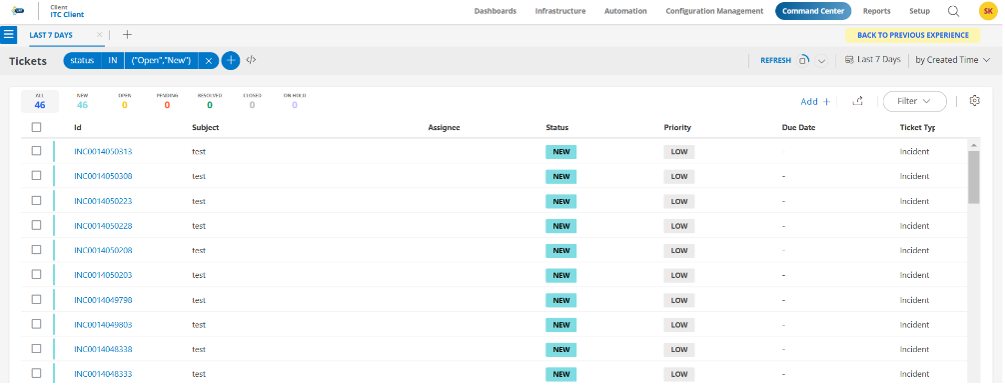
Service Desk provides a single experience for:
- Ticket operations
- Configuration
- Automation
- Reporting
Navigation overview
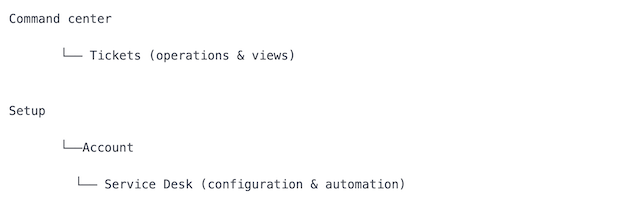
Core ITSM capabilities
Standardized entities ensure consistent reporting, automation, and SLA tracking across teams.
HPE OpsRamp Software supports the major ITSM entities required for day to day operations:
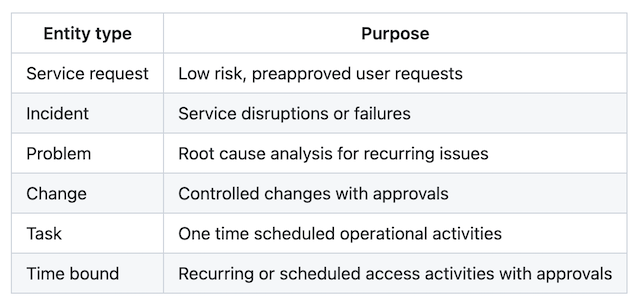
Best practice
Standardized entities ensure consistent reporting, automation, and SLA tracking across teams.
Service Desk configuration
HPE OpsRamp Software allows deep configuration without customization overhead.
Configuration components
- Settings (rules & behavior)
- Custom Forms (business context)
- Business Impacts and Urgencies
- Categories (logical grouping)
- Status Flow (controlled transitions)
- Priority Matrix
- Status Change Reasons
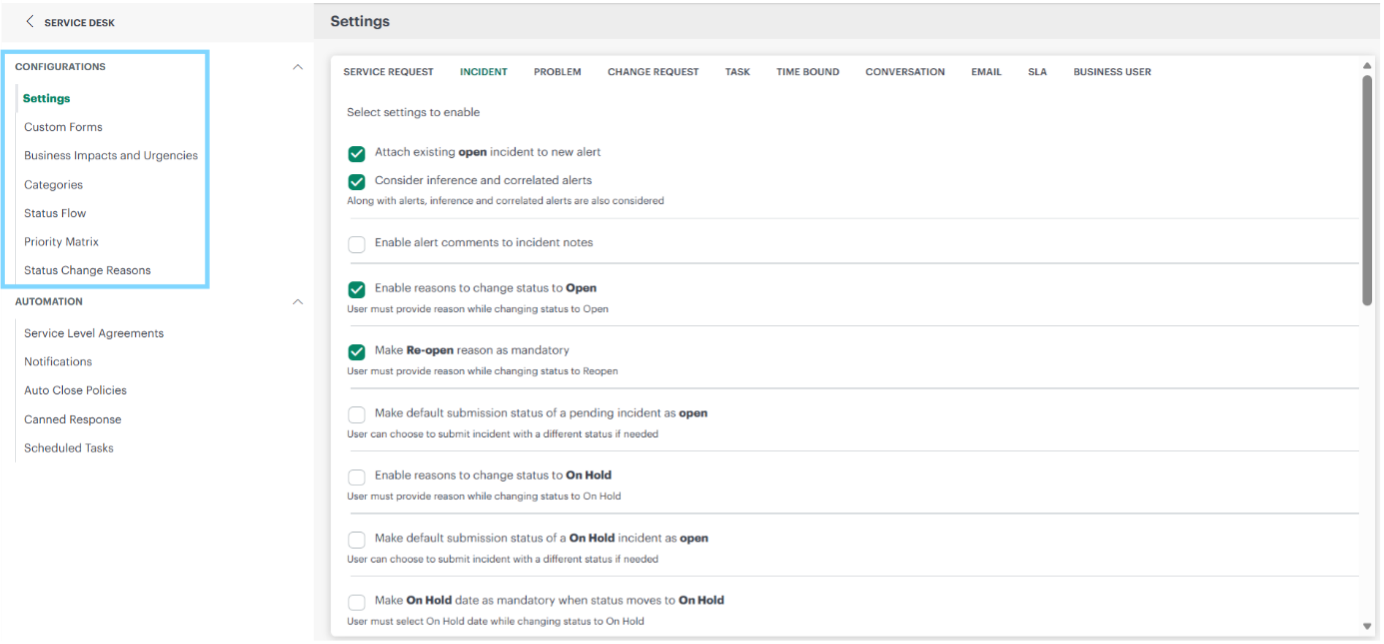
Settings
Settings allows admins to define how different ticket entities behave during their lifecycle.
- Ticket conversations, email notifications, SLA, approvals, etc.
Customize ticket fields using Custom Forms
Custom Forms help customize tickets with
- Addition of custom fields to ticket entities to capture business specific information
- Custom fields use in alert policy filters
- Custom fields visibility restriction to specific users
Organize using categories
Categories help to streamline and organize tickets by grouping similar types of requests. This will further help sort, filter, report, and analyze ticket trends.
Workflow governance with Status Flows
Clear ownership at every stage Ticket Flow => [New → Open → Pending / OnHold → Resolved → Closed]
- Ensures accountability
- Prevents uncontrolled state changes
- Improves SLA compliance
Ticket Flow can be customized per user’s need using Status Flows
Intelligent prioritization framework
Impact × urgency = priority
HPE OpsRamp Software derives ticket priority using a structured Priority Matrix.
- Business impact: Scope of service disruption
- Urgency: Time sensitivity of resolution
Consistency benefit:
Every team prioritizes tickets the same way—reducing subjectivity and escalation noise.
Accountability with Status Change Reasons
Visibility drives better outcomes
By capturing reasons for every status change, HPE OpsRamp Software:
- Improves audit and compliance readiness
- Clarifies ticket history
- Strengthens operational transparency
Service Desk automation
Built in automation that scales IT operations
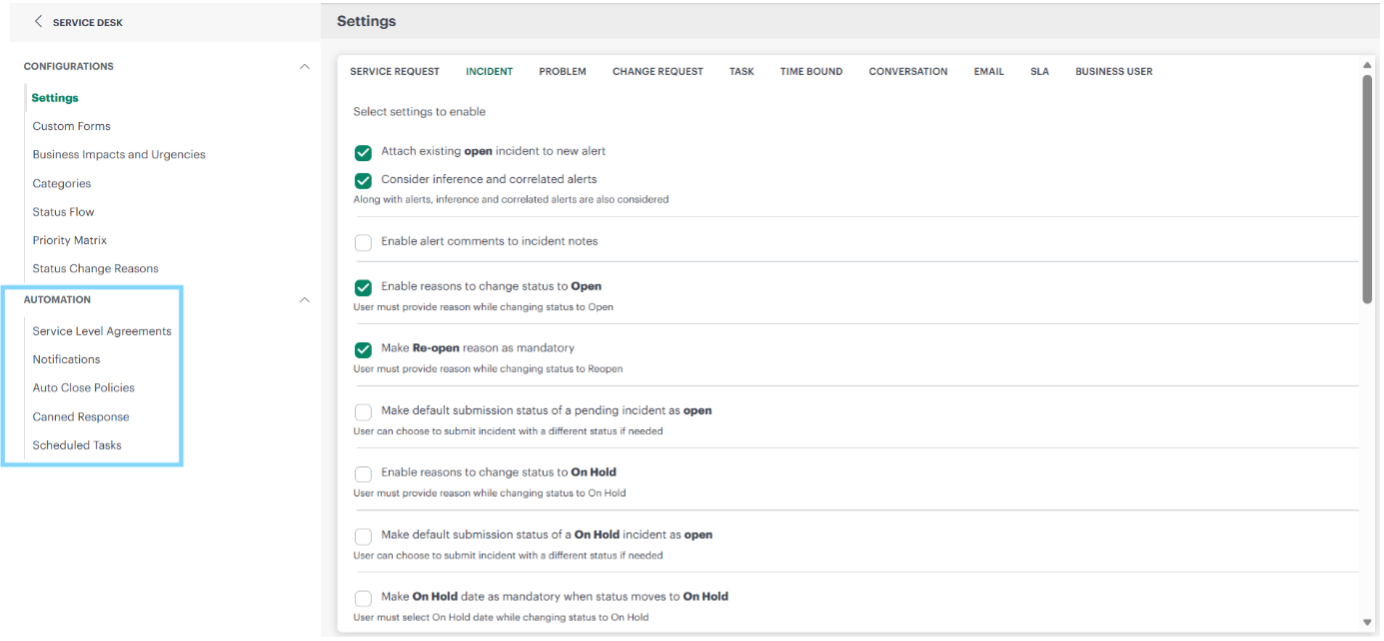
Service level agreements
Setup → Account → Service Desk → Service Level Agreements
- Priority-based response and resolution timers
- Automated breach prevention
- Applicable to incidents and service requests
Notifications
Setup → Account → Service Desk → Notifications
Triggered by:
- Ticket creation or updates
- Status changes
- Priority thresholds
- Source (manual, email, policy driven)
Auto close policies
Setup → Account → Service Desk → Auto Close Policies
- Reduces ticket backlog
- Ensures system hygiene
Canned response
Setup → Account → Service Desk → Canned Response
- Faster, consistent user communication
- Automated recurring operational activities
Scheduled tasks
Setup → Account → Service Desk → Scheduled Tasks
Persona based user experience
Purpose driven access control

Security & governance advantage
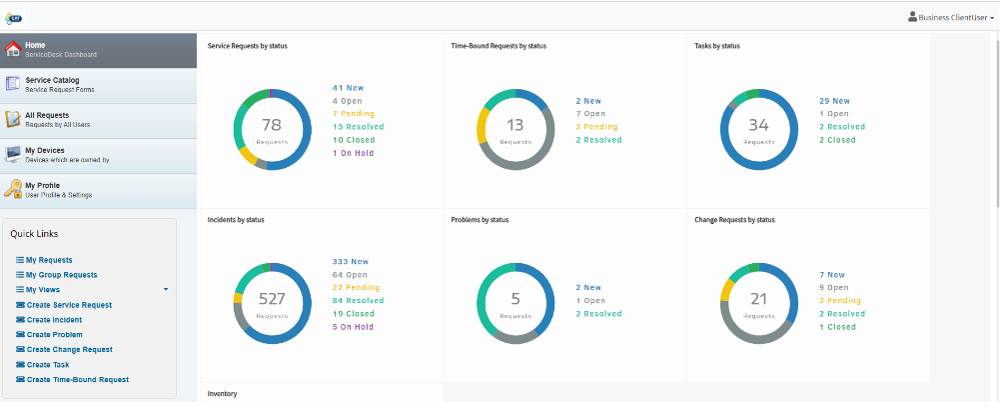
Role based access ensures visibility without compromising control.
Regular User
Business User
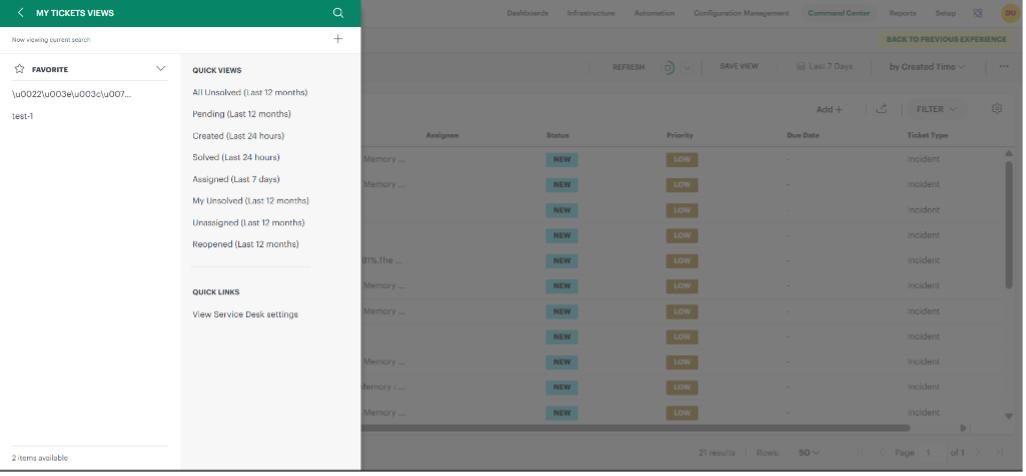
Ticket Views
- Quick Views: Predefined filters
- Custom Views: User saved filters
Designed to help users manage workload efficiently
Reporting & insights
Operational and executive visibility
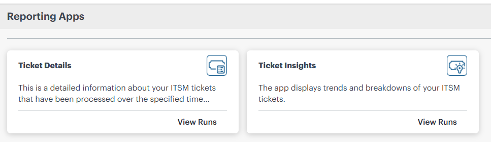
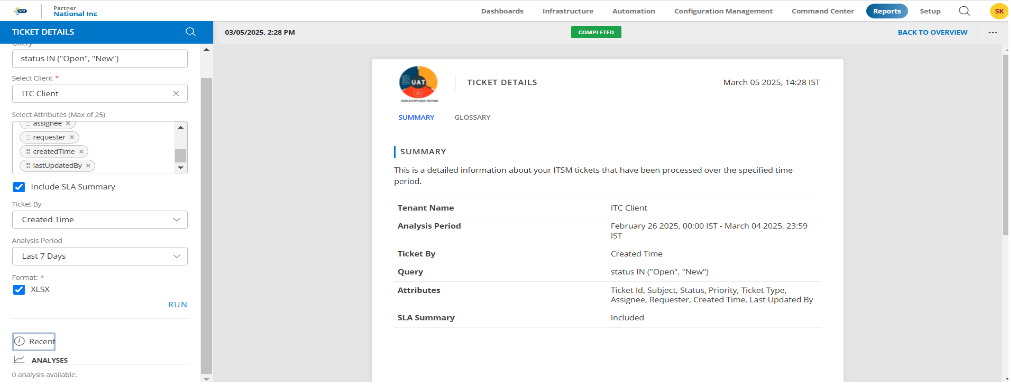
Ticket Details report
- Transaction-level data
- Audits and deep operational analysis
Ticket Insights report
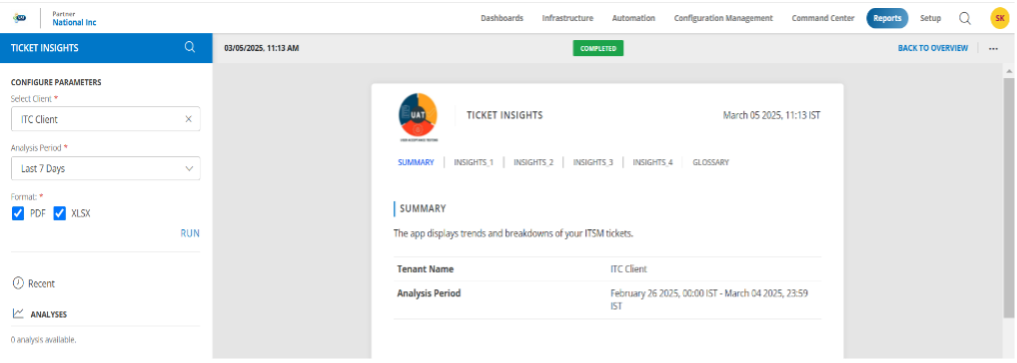
Key metrics:
- Ticket volumes and trends
- Priority and status breakdown
- Open vs resolved tickets
- Productivity averages per day
Insight to action
Measure performance, identify bottlenecks, and drive continuous improvement
Seamless integrations
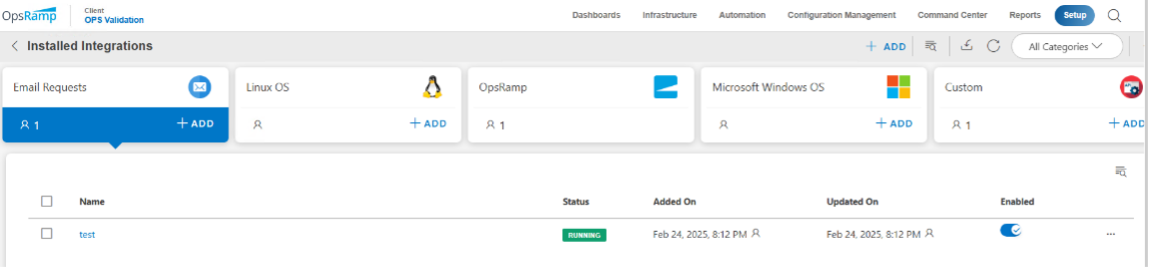
Email integration
- Create incidents, service requests, or change requests directly from email
- Automatic parsing and categorization
- Zero manual intervention
Custom ticketing integrations
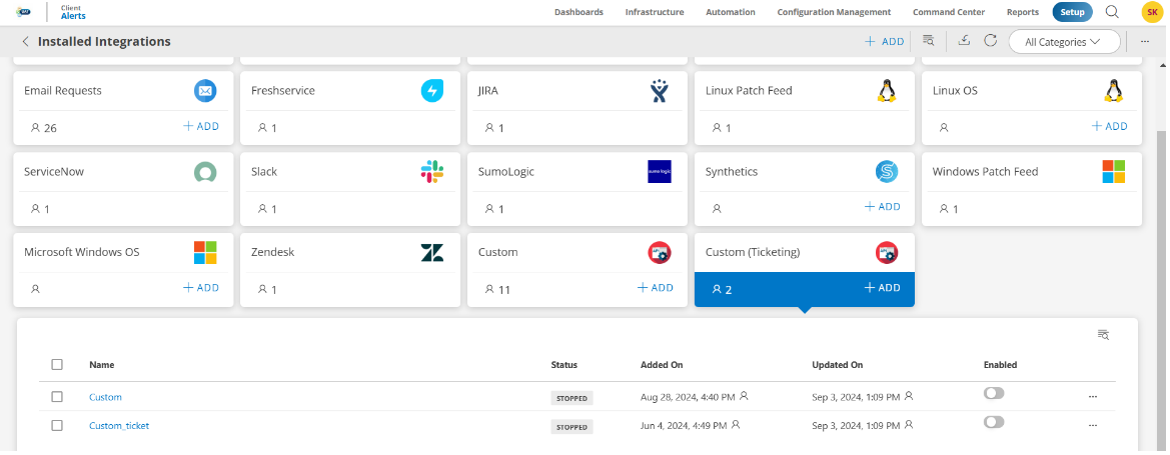
For tools outside the standard integration catalog, HPE OpsRamp Software provides a custom ticketing integration framework, enabling API based connectivity with third party or in house applications.
Conclusion
- HPE OpsRamp Software Service Desk ITSM, built for modern enterprises, transforms IT operations from reactive to proactive service management—combining automation, governance, and insight in a single platform.
- Whether you’re scaling service operations, improving SLA adherence, or seeking better visibility, HPE OpsRamp Software Service Desk provides the foundation for efficient, future ready IT service management.
- HPE OpsRamp Software Service Desk combines robust ITSM fundamentals with structured workflows, persona based experiences, and actionable reporting.
For organizations looking to standardize IT operations, improve service quality, and scale efficiently, HPE OpsRamp Software Service Desk provides a powerful foundation.
Call to Action
If you have any questions regarding this blog post, please refer to OpsRamp Service Desk documentation here and can also reach out to me at sudhir.kanigiri@hpe.com
Please check out the HPE Developer Community blog section for more articles on this topic.
Related

Automating HPE OpsRamp Software with Terraform: Infrastructure as Code for autonomous IT operations
May 25, 2026
How to Transform IT Operations with AI-Infused, Full-Stack Observability
Dec 2, 2024HPE OpsRamp Continues to Push Autonomous IT Operations Forward
Dec 2, 2024
Hybrid observability service – Part 1: Provisioning and activation in HPE GreenLake Flex Solutions
May 22, 2025Hybrid observability service – Part 2: Initial configuration to enable the discovery of resources in HPE GreenLake Flex Solutions
May 23, 2025Hybrid observability service – Part 3: Enabling the monitoring of agentless SSH-enabled systems in HPE GreenLake Flex Solutions
May 26, 2025Hybrid observability service – Part 4: Enabling the monitoring of physical devices in HPE GreenLake Flex Solutions
May 27, 2025